Plan your day
with Quill.
The AI day planner that works around your real calendar. Quill timeboxes your tasks, drafts meeting agendas and keeps lunch free — and nothing changes until you say so.
Free to start · iPhone and web · Device calendars stay on your iPhone
Built for every kind of work
It plans.
You approve.
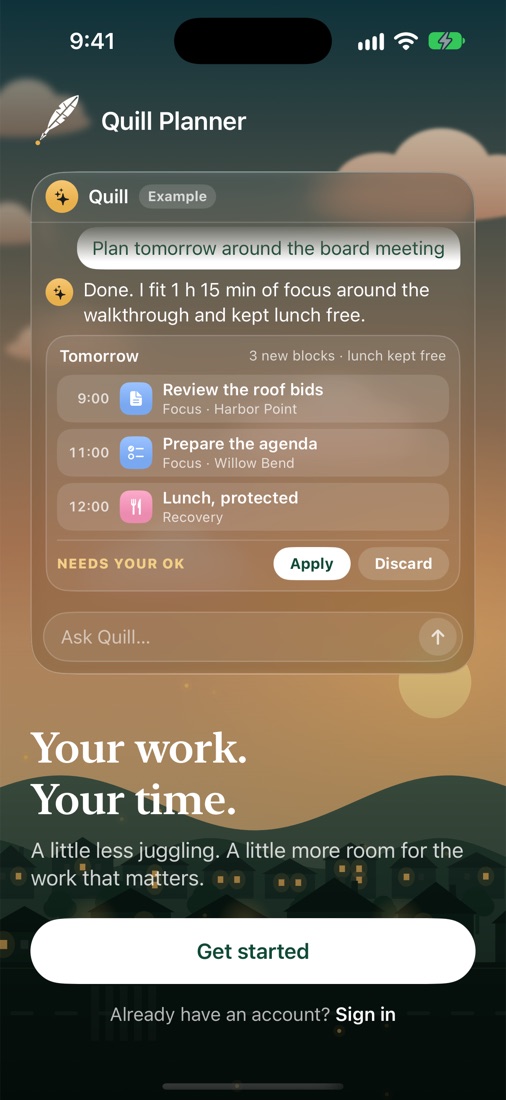
Tell Quill what you need in plain English. It finds time around your meetings, protects your lunch and shows you the plan first.
- “Plan my day” fits your tasks around fixed meetings
- “Move lunch to 1 PM” or “push the board meeting back 30 minutes”
- Every change waits for Apply — and Undo is one tap away
Your whole week,
at a glance.
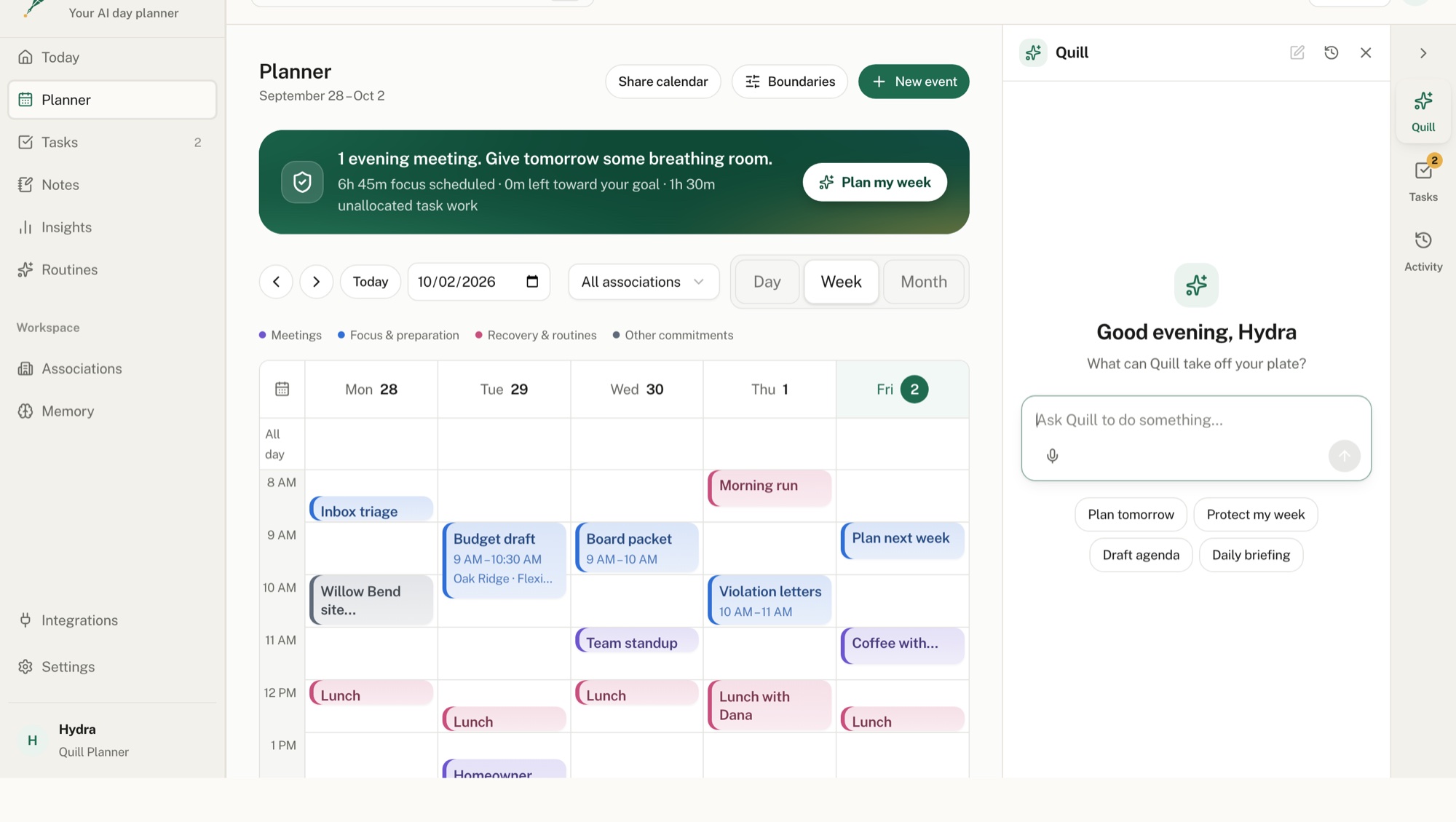
Meetings, focus blocks and personal time live side by side. Free time is easy to spot — and one tap fills it with the work that matters.
- Day, timeline, hours and week views
- Plans around Apple, Google and Outlook calendars on your iPhone
- Icons that match what you’re doing — a hike, lunch, a call
Agendas that
know your job.
Ask for an agenda and Quill drafts a timed one for your next meeting — shaped by what you do and the open work for that group. It’s saved to the meeting once you approve it.
- HOA boards, client calls, lessons, stand-ups and more
- Fits the length of the meeting automatically
- Written on your iPhone with Apple Intelligence when available
- Call to order and quorum5 min
- Approve last meeting’s minutes5 min
- Financial report15 min
- Roof bids review20 min
- Pool inspection update10 min
- Homeowner forum20 min
- Executive session10 min
- Adjourn5 min
Focus, then
breathe.
Start a focus session on any task. A running timer stays in sight wherever you are in the app, breaks come on time, and your hours are recorded for you.
- Pomodoro with focus and break phases
- A live countdown on every screen
- Time records and insights, automatically
Break in 18 minutes
Everything a busy day needs.
Brain dump Inbox
Capture anything with Quick capture or Siri. Plan it onto a day when you’re ready.
Your calendars
Plan around device calendars on iPhone. On the web, connect Google Calendar or Outlook to view your events and edit events you have permission to change.
Repeats and templates
Recurring tasks, reusable templates, lists and labels keep routine work moving.
Notes and agendas
Task notes and meeting agendas sync between your iPhone and the web.
Insights
See where your time went and how much focus you protected each week.
iPhone and web
Same account, same workspace. Changes sync automatically and safely.
Dictation
Speak your notes. Dictation runs on your iPhone.
Your groups
Organize by association, client, course or project — whatever fits your work.
Private by design
Notebook pages, files and device calendars stay on your iPhone.
Start free. Upgrade when Quill earns it.
Free
- Unlimited tasks and Inbox
- Day, week and timeline planner
- Quill planning and meeting agendas
- Apple, Google and Outlook calendars on iPhone
- iPhone and web
Pro
- Everything in Free
- Live AI assistant
- Focus timer and Pomodoro
- Lists, labels, repeats and templates
- Notes dictation and file attachments
HOA, nonprofit or student? Ask for 50% off any plan
Good to know
Will Quill change my calendar on its own?
Only if you want it to. By default Quill shows every change as a preview and waits for you to tap Apply. You can turn on auto-approve in settings, and Undo is always one tap away.
Does it work with Google and Outlook?
Yes. On iPhone, Quill plans around the Apple, Google and Outlook calendars you’ve added to your iPhone. Those events stay on your device. On the web, connect Google Calendar or Outlook Calendar in Integrations, and connect Gmail or Outlook email to read your Inbox, send replies you write, or turn a message into a task.
Is there a web version?
Yes. Create a free account at app.quillplanner.com on any computer or phone, no iPhone needed. If you also use the iPhone app, sign in with the same account and your workspace syncs automatically.
What happens to my data?
Your synced workspace is private to your account. When you use live AI, a short summary of your workspace is sent to OpenAI to write the reply. Read the Privacy Policy.
Is it only for HOA managers?
Quill started with community managers and now works for any kind of work — teaching, healthcare, sales, software, trades, studying and more.
Make tomorrow
a calmer day.
Quill Planner for iPhone is in beta. Request an invite, or start on the web today.